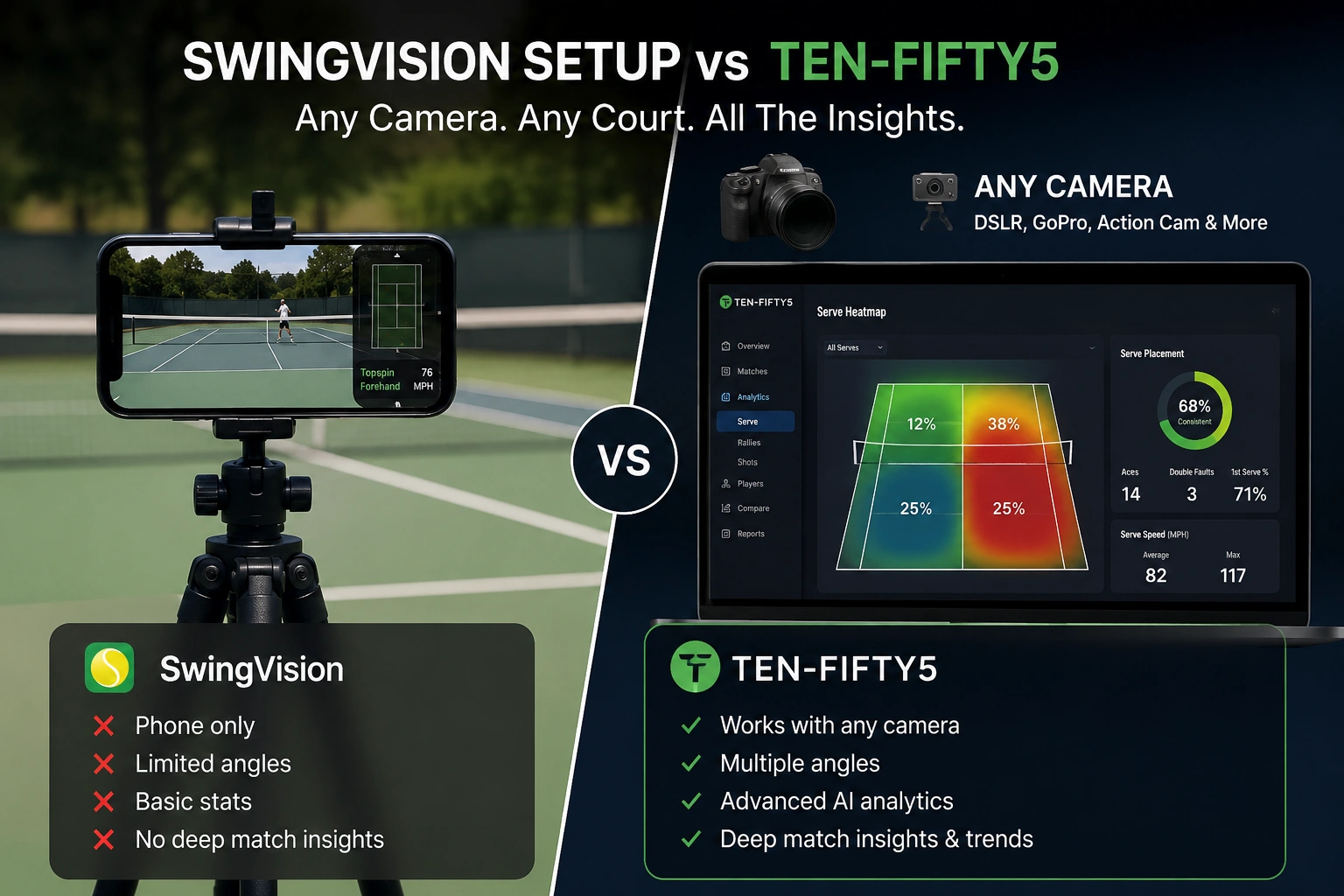
If you're shopping for a tennis analysis app in 2026, SwingVision is probably on your shortlist — and for good reason. It was one of the first consumer tools to bring real-time shot tracking and line calling to recreational players, and its Apple Watch integration is genuinely impressive.
But SwingVision isn't the only option, and depending on what you need from match analysis, it may not be the best fit. Ten-Fifty5 takes a different approach: you film the match on any camera and upload the video afterwards for a full post-match analysis.
This guide compares the tools honestly. What we say about SwingVision and Tennis Cut comes from their own App Store and Google Play listings, checked on 21 October 2026; anything their listings don't say, we don't claim. Check their pages for the latest — apps change.
Quick Comparison: SwingVision vs Tennis Cut vs Ten-Fifty5
| SwingVision | Tennis Cut | Ten-Fifty5 | |
|---|---|---|---|
| How it works | An app that records and tracks during play | An app that records, then trims the match to the rallies | Upload a recorded match video after you play |
| Devices | Apple: iPhone, iPad, Mac, Apple Vision, Apple Watch (App Store listing) | iPhone and Apple Watch (App Store); also on Google Play | Any phone or camera, through the browser — iPhone, Android, GoPro, DSLR |
| Android | No SwingVision app from SwingVision itself in a Google Play search | Yes (Google Play listing) | Yes (web-based, nothing to install) |
| Real-time | Real-time line calls; live scoring on Apple Watch | Live scoring | No — analysed after upload; we email you when it's ready |
| What it says it measures | Shot speed, depth, accuracy and rally length; automated stats and scoreboards | Rally detection, rally lengths in "Video Insights", a session recap (duration, rallies, serves) | Point-by-point analysis: serve placement heatmaps, return and rally statistics, an 18-KPI scorecard |
| Coaching | "Personalized coaching after each session"; coaches can track students' scores and stats | "Coach Eye" frame-by-frame review | On paid plans, an AI Coach that answers questions about your own match (your free match shows a preview); free accounts for coaches |
| Where the video goes | See SwingVision's listing | Stays on your device | Uploaded and analysed in the cloud |
| Price | Free download; Pro $179.99/year in the US App Store (Plus and Max plans too) | Free download; Pro subscription (see its listing for your country's price) | First match free, no card; then from $25 a match, $40 a month, or $300 a year with the QM-1 camera mount |
Checked 21 October 2026: SwingVision's US App Store listing (SwingVision, Inc.), Tennis Cut's App Store listing (Arc Labs) and Google Play, and our own pricing.
Where Tennis Cut Fits
Tennis Cut comes up in the same searches, so it is worth being clear about what it is: by its own description, a rally-trimming and recording app. It detects the rallies and cuts the dead time — ball pick-ups, towel breaks, the walk to the baseline — records in 4K at 60 fps, draws ball trajectories, keeps score, and lets you step through a stroke frame by frame with "Coach Eye". Everything stays on your phone, which is a genuine advantage if you would rather not upload footage of your children anywhere.
Its insights are about the session — rallies, their lengths, serves, and your Apple Watch activity. If you want match statistics you can track across a season — where your serves land, how you win and lose points — that is the job a full match analysis does.
So the real question is not "Tennis Cut or Ten-Fifty5". It is what you want out of the hour you spent on court:
- A watchable, trimmed match to share — Tennis Cut is quick and simple.
- Feedback while you are still on court — SwingVision, if you are on Apple devices.
- A full analysis of a match you can come back to — Ten-Fifty5.
The tools can work together: trim the match, keep the full recording, and upload the full recording for the analysis.
Where SwingVision and Ten-Fifty5 Differ Most
Camera and device
This is the most practical difference, and it affects everything downstream.
SwingVision is an Apple app: you record and track with your Apple device. If you're on Apple devices, the setup is straightforward. If your family uses Android, or you'd rather film with a GoPro behind the baseline, or a parent is filming a junior's tournament match from the stands with whatever phone they have, it's not an option.
Ten-Fifty5 works from the video file. Phone, action camera, DSLR or a club camera: record the whole match from behind the baseline with the whole court in frame, then upload the file in any browser. Our filming guide covers the setup in two minutes.
When you get the analysis
SwingVision works during play: real-time line calls, live scoring, and replays. For a practice session where you want immediate feedback, that's a genuine advantage.
Ten-Fifty5 works after play. You upload the match, we email you when the analysis is ready, and you get a point-by-point analysis: serve placement heatmaps, return and rally statistics, and an 18-KPI scorecard you can compare with your next matches.
Coaching
SwingVision's listing describes personalised coaching after each session, and tools for coaches to track their students' scores and stats.
On a paid plan, Ten-Fifty5 includes an AI Coach that answers questions about your own match data (your free match shows a preview) — "Why am I losing more points on second-serve returns?", "What should I practise before my next tournament?" For coaches, Ten-Fifty5 accounts are free, with no limit on linked players: a player shares their matches, and the coach sees their analyses in one place.
Pricing model
SwingVision is a free download with subscriptions; its US App Store listing shows Pro at $179.99 a year, with Plus and Max plans as well.
Ten-Fifty5's first match is free — full analysis, no credit card. After that: match credits at $25 each (or $50 for three, $75 for five; credits never expire), a monthly plan at $40 for up to ten match analyses, or the annual pass at $300 for the year with the QM-1 camera mount included. See pricing for the current list.
If you play a handful of competitive matches a year, pay-as-you-go can cost less than an annual subscription; if you upload weekly, a plan brings the per-match cost down.
Who Should Choose SwingVision
- You want real-time feedback. Line calls and live scoring during play are something no post-match tool replicates.
- You're on Apple devices. With an iPhone and an Apple Watch, the setup is seamless.
- You mostly want practice-session feedback. Quick sessions with instant information is what it's built for.
SwingVision has earned its reputation, and for the right player it does its job very well.
Who Should Choose Ten-Fifty5
- You use Android, or want to film on a different camera. Ten-Fifty5 works from the video file, on any device with a browser.
- You want a full analysis of your competitive matches. Serve placement, return and rally statistics and a scorecard you can compare match to match.
- You work with a coach. Coaches join free and see the matches their players share.
- You play a few matches a year. Pay-as-you-go at $25 a match, with credits that never expire.
Can You Use Both?
Yes. SwingVision for real-time feedback in practice, and Ten-Fifty5 for a full analysis of the matches that count. They solve different problems.
Frequently Asked Questions
Is Ten-Fifty5 really free to try?
Yes. Your first match includes the full match analysis, with no credit card required.
Tennis Cut vs SwingVision — which should I choose?
They do different jobs. By their own listings, SwingVision tracks shots and calls lines while you play, on Apple devices; Tennis Cut records and trims your match down to the rallies, keeps everything on your phone, and is on both the App Store and Google Play. If you want a trimmed video to watch and share, Tennis Cut is the simpler tool; if you want live feedback on Apple devices, SwingVision.
Does Ten-Fifty5 work on Android?
Yes. Ten-Fifty5 is web-based, so it works on any device with a browser — Android phones, iPhones, tablets and laptops — with nothing to install. In a Google Play search on 21 October 2026 we found no SwingVision app from SwingVision itself, which is why many Android players look for an alternative — see our guide to the best SwingVision alternative for Android.
How long does Ten-Fifty5 take to analyse a match?
It depends on the length of the match; we email you as soon as your analysis is ready. It is not real-time like SwingVision.
What camera setup do I need for Ten-Fifty5?
One still camera behind the baseline with the whole court in frame, recording the whole match. A phone on the fence is fine; so is a GoPro, a DSLR or a club camera. Upload the video file (MP4, MOV, M4V or MPEG).
The Bottom Line
SwingVision and Ten-Fifty5 are both legitimate tennis analysis tools, but they serve different needs. SwingVision excels at real-time, on-court feedback on Apple devices. Ten-Fifty5 gives you a full post-match analysis from any camera, on any device, with an AI coach on paid plans.
If instant feedback during practice is your priority, SwingVision delivers. If you want to understand your competitive matches and track them over time, from the phone you already own, that's what Ten-Fifty5 was built for.
Analyse your first match free — any phone, no card.
See your own game in data
Your first match is free — no credit card. Full dashboard and heatmaps; the AI coach comes with any paid plan.
Analyse my first match free