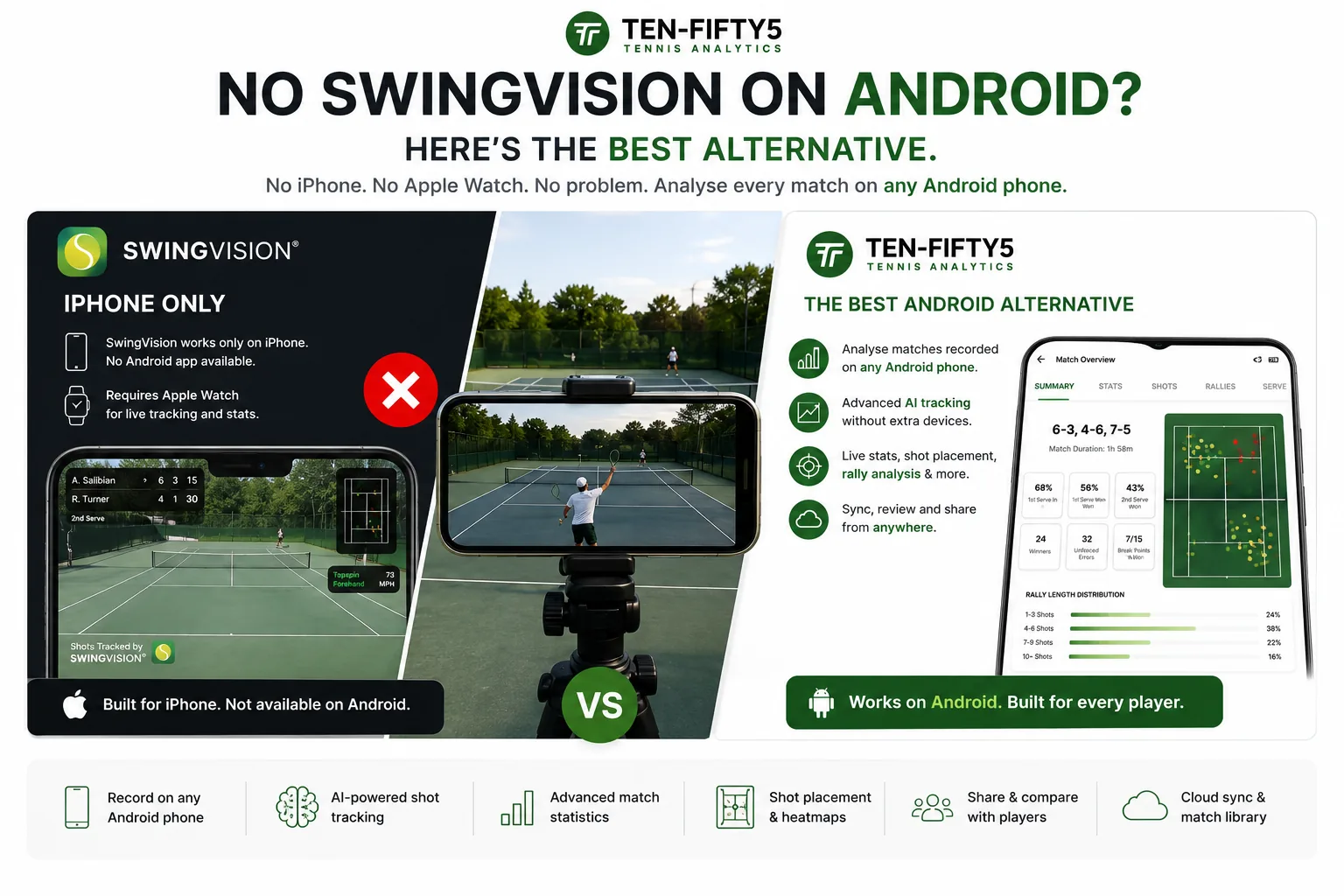
If you have gone looking for SwingVision for Android on the Play Store, you have already hit the wall: SwingVision is iPhone-only. (You will also see it written "swing vision android" — same app, same answer.) It needs an iPhone as the camera and leans on the Apple Watch for live stats, so there's no Android version — and, given how it's built, there isn't likely to be one. For the millions of players on Samsung, Pixel, OnePlus and other Android phones, that's the end of the road before it starts.
The good news: you don't need an iPhone to get serious tennis analysis. This guide covers why SwingVision doesn't run on Android and what the best SwingVision alternative for Android actually is — including how to analyse a match filmed on any Android phone.
Why SwingVision doesn't work on Android
SwingVision was built around Apple's hardware. It uses the iPhone's camera for real-time, on-device shot detection and pairs with the Apple Watch for live scoring and stats. That tight Apple integration is exactly what makes its real-time features feel slick — and exactly why it can't simply be ported to Android. So if you're on Android, "just download SwingVision" isn't an option, and waiting for an Android release isn't a plan.
The question worth asking isn't "how do I get SwingVision on Android" — it's "what gives me the same (or deeper) match analysis without locking me to an iPhone?"
The best SwingVision alternative for Android: Ten-Fifty5
Ten-Fifty5 takes a different, device-agnostic approach. Instead of a phone app tied to one ecosystem, it's web-based — you record your match on whatever camera you have, upload the video file in any browser, and get a full analytics dashboard back. Nothing to install, and nothing about it cares whether your phone is an Android or an iPhone.
That makes it a natural fit for Android players, because the one thing SwingVision hard-requires (an iPhone) is the one thing Ten-Fifty5 doesn't need at all.
How it works on Android
1. Film your match on your Android phone — propped on a tripod or fence behind the baseline, recording at 720p or higher. A GoPro, a DSLR, or your club's fixed camera works just as well. 2. Upload the video in your phone's or laptop's browser at ten-fifty5.com. There's no app to download from the Play Store. 3. Get your dashboard — usually within one to two hours. Serve placement heatmaps, rally patterns, 18 tracked KPIs, biomechanical (pose) analysis, and an AI Coach that answers questions about your own match.
Because everything runs in the browser, you can film on your Android phone, review on a laptop, and share with a coach on their tablet — no ecosystem lock-in anywhere in that chain.
What you actually get
Ten-Fifty5 trades SwingVision's real-time feedback for much deeper post-match analysis — 450+ data points per match, serve heatmaps with zone accuracy, rally-length and attack/defence breakdowns, 17-keypoint technique analysis, and an AI Coach grounded in your data rather than generic tips. For the full feature-by-feature breakdown, see our complete SwingVision vs Ten-Fifty5 comparison.
The trade-off is honest: if your priority is live shot detection during a practice session, that's SwingVision's strength — but it's also why it stays on iPhone. If you want detailed analysis of your competitive matches on the phone you already own, Android included, Ten-Fifty5 is built for that.
What about other Android tennis apps?
Tennis Cut is the one you will actually find on the Play Store, and it is worth knowing what it is: a rally-trimming tool. Its AI cuts your match down to the points and drops the dead time, records in 4K, and lets you step through a stroke frame by frame — all on the phone, so nothing is uploaded. From $44.99 a year it is a cheap, genuinely good way to get a watchable highlight reel. What it does not give you is a single statistic: no serve heatmaps, no win rates, no KPIs to track across a season. It makes your tennis watchable, not measurable.
Beyond that, most consumer tennis-analysis tools are iOS-first, and many of the "Android" options are single-stroke technique scorers rather than full match analysis — useful for checking one serve, but they won't map your serve placement, rally patterns, or match-long trends. The practical shortlist for full match analytics on Android is short, and a web-based pipeline that accepts any video file is the most reliable way to avoid the iPhone requirement entirely.
Frequently asked questions
Does SwingVision work on Android? No. SwingVision does not work on Android, and there is no Android version planned. It uses the iPhone camera for on-device shot detection and the Apple Watch for live scoring, so the whole product is built on Apple hardware. Searching for "SwingVision for Android" will not find an app, because there isn't one.
Is there a SwingVision app for Android? No. SwingVision is iPhone-only and relies on the Apple Watch for live stats; there is no Android version. To analyse tennis on Android, use a web-based tool like Ten-Fifty5 that accepts video from any device.
Do I need to install an app on my Android phone? No. Ten-Fifty5 is entirely web-based — it runs in any browser on Android, iOS, tablets, laptops and desktops. You just upload your match video.
Which Android phones work? Any of them. The phone is only the camera and the screen — the analysis happens in the cloud. If your Android phone can record video at 720p or above and open a website, you're set.
Is it free to try on Android? Yes. Your first match is fully analysed free, no credit card and no app install — film it on your Android phone, upload it, and see your dashboard.
The bottom line
SwingVision is a strong tool — if you own an iPhone. For everyone on Android, the most reliable alternative isn't another app to hunt for on the Play Store; it's a web-based pipeline that works on any device. Film your match on your Android phone, upload it, and let the analysis come back to you.
Analyse your first match free — no iPhone, no app, no credit card. Or see how it works first.
See your own game in data
Your first match is free — no credit card. Full dashboard, heatmaps, and AI coaching in a couple of hours.
Analyse my first match free